
BestPeek

TV & Media Cleaning & Care: Expert Guide to Screen & Lens Cleaning Kits

Bestpeek Editorial Team
Updated: May 02, 2026
TV & Media Cleaning & Care: Expert Guide to Screen & Lens Cleaning Kits

Key Takeaways

This guide summarizes the key buying criteria, comparison points, and standout models for this category.

Maintaining a flawless entertainment setup starts with proper care of your screens and media devices. The TV & Media Cleaning & Care category offers specialized products designed to keep your TVs, home theater systems, and electronics clean, clear, and functioning at their best. Whether you're battling dust, fingerprints, or stubborn grime, choosing the right cleaning solution can preserve image quality and extend device lifespan. This guide brings together top-rated cleaning kits, screen protectors, and care accessories, compares their features, and provides real shopper input so you can confidently select what’s best for your home theater experience.

Key Takeaways

  • TV & Media Cleaning & Care products are specifically tailored to safely clean screens, lenses, and electronic surfaces, avoiding damage and streaks.
  • Top picks include highly-rated choices with thousands of reviews, ensuring proven customer satisfaction and quality.
  • Key buying criteria include type of cleaning solution, included accessories (like microfiber cloths or brushes), safety for device surfaces, and ease of use.

Top Picks

#2 Highest Rated Value

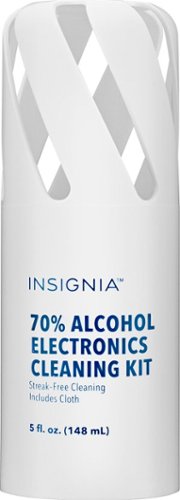
Insignia™ - 5 oz. Electronics Cleaning Solution

With a standout 4.8 rating from 437 reviews, buyers consistently mention its reliable cleaning and gentle formula. Ideal for those seeking an affordable, highly-effective solution for TVs and touchscreens.

$7.99 ★ 4.8/5 437 ratings
  • Highest shopper rating for value and performance
  • Compact size perfect for quick cleans
#4 Best Basic Kit

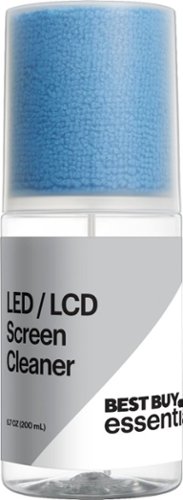
Best Buy essentials™ - LCD Screen Cleaning Kit

With 295 reviews and a solid 4.6 rating, users cite this kit as a simple solution for routine cleaning. It's well-suited for offices or busy households wanting straightforward screen care.

$14.99 ★ 4.4/5 295 ratings
  • Simple application for non-specialist users
  • Safe on most screens
#5 Best for Optical Devices

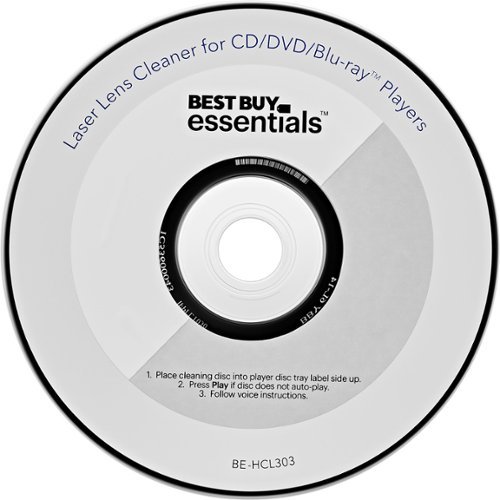
Best Buy essentials™ - Laser Lens Cleaner - Blue/White

This affordable lens cleaner holds a 4.4 rating and 537 reviews, frequently referenced by shoppers using DVDs, Blu-ray, or gaming systems. It’s dedicated to restoring playback quality and protecting optical equipment.

$9.99 ★ 4.4/5 537 ratings
  • Restores clarity and reduces disc playback errors
  • Easy-to-use for non-expert owners
#6 Best for Vintage Media

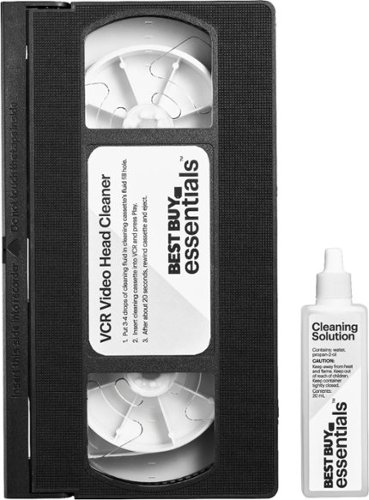
Best Buy essentials™ - VCR Video Head Cleaner - Black

If you still rely on VCRs, this cleaner gets a strong 4.5 rating from 163 reviews, offering safe cleaning action for tape-based devices, ensuring reliable playback and device longevity.

$9.99 ★ 4.4/5 163 ratings
  • Specialized for older VCR equipment
  • Restores tape playback quality

Comparison Table

Model Best For Price Key Strength
AudioQuest - CleanScreen Pack All Screens $19.95 Highly rated, streak-free cleaning
Insignia™ - 5 oz. Electronics Cleaning Solution Value seekers $7.99 Highest user rating, gentle formula
AudioQuest - CleanScreen Kit w/ Brush Travel & versatility $18.99 Portable, brush for detail cleaning
Best Buy essentials™ - LCD Screen Cleaning Kit Basic users $14.99 Simple, effective routine cleaning
Best Buy essentials™ - Laser Lens Cleaner Optical lenses $9.99 Restores digital playback quality
Best Buy essentials™ - VCR Video Head Cleaner VCR owners $9.99 Safe for tape-based devices

How To Choose

Who should buy TV & Media Cleaning & Care products?

Anyone who owns a TV, home theater system, or electronic media devices will benefit from proper cleaning. These products are for people who notice smudges, dust, or playback errors and want to protect their investments and improve visual/audio quality.

Investing in care kits prevents permanent screen damage and ensures your devices remain crisp and clear over time.

What features matter most when choosing a cleaning kit?

Key features include the safety of the cleaning solution (alcohol-free for sensitive screens), included accessories (microfiber cloth, brushes, sprays), compatibility with device types, and portability. Kits like the AudioQuest - CleanScreen Pack and AudioQuest - CleanScreen Kit offer specialized tools and proven formulas.

Look for high customer ratings and review counts—they're strong indicators of real effectiveness and satisfaction.

Is it necessary to use device-specific cleaners?

Yes. Devices like TVs and optical media require cleaners formulated to avoid scratches, streaks, or chemical residue. Using generic household cleaners can damage screens or internal components.

Choose branded kits for select devices, such as laser lens cleaners for media players or VCR cleaners for vintage equipment.

How often should I clean my TV or media devices?

Routine cleaning is recommended every 1-2 weeks for visible screens and monthly for more sensitive gear like optical lenses or VCRs.

Schedule regular cleaning to enhance both device performance and longevity.

FAQ

Are alcohol-based cleaners safe for all screens?

No. Many TV and monitor manufacturers advise against alcohol-based solutions, as they can damage anti-glare coatings or screen finishes. Use products specifically marked safe for electronics, such as Insignia™ - 5 oz. Electronics Cleaning Solution.

Can I use a regular cotton cloth instead of microfiber?

Microfiber is preferred because it traps dust and removes fingerprints without scratching. Cotton or paper towels may leave lint or scratches, especially on delicate screens.

What is the advantage of using a brush in cleaning kits?

Brushes enable deep cleaning of edges, vents, or lens surfaces where cloths can't reach. They're especially useful in kits like AudioQuest - CleanScreen Kit with Retractable Brush.

Should I unplug my device before cleaning?

Yes. Always ensure your device is powered off and unplugged before cleaning to prevent electrical risk and allow cleaning solutions to dry safely.

Do I need different cleaners for TV screens and media player lenses?

Yes. TV screens require gentle, streak-free solutions, while media player lenses or VCR heads need dedicated products like Best Buy essentials™ - Laser Lens Cleaner or Best Buy essentials™ - VCR Video Head Cleaner to remove dust and improve playback fidelity.

Frequently Asked Questions

Are alcohol-based cleaners safe for all screens?

No. Many TV and monitor manufacturers advise against alcohol-based solutions, as they can damage anti-glare coatings or screen finishes. Use products specifically marked safe for electronics, such as Insignia™ - 5 oz. Electronics Cleaning Solution.

Can I use a regular cotton cloth instead of microfiber?

Microfiber is preferred because it traps dust and removes fingerprints without scratching. Cotton or paper towels may leave lint or scratches, especially on delicate screens.

What is the advantage of using a brush in cleaning kits?

Brushes enable deep cleaning of edges, vents, or lens surfaces where cloths can't reach. They're especially useful in kits like AudioQuest - CleanScreen Kit with Retractable Brush.

Should I unplug my device before cleaning?

Yes. Always ensure your device is powered off and unplugged before cleaning to prevent electrical risk and allow cleaning solutions to dry safely.

Do I need different cleaners for TV screens and media player lenses?

Yes. TV screens require gentle, streak-free solutions, while media player lenses or VCR heads need dedicated products like Best Buy essentials™ - Laser Lens Cleaner or Best Buy essentials™ - VCR Video Head Cleaner to remove dust and improve playback fidelity.

About Bestpeek Reviews

Our team of experts spends hundreds of hours researching and testing products to help you make confident purchasing decisions. We independently review everything we recommend.

Trusted Expert 2026 Updated