Last Updated: 2025-11-22 06:21:22
 Amazon
 walmart
| Manufacturer | - |
|---|---|
| Brand | Brother |
| Item model number | MFC-8710DW |
| Color | Black |
| Weight | - |
| Height | - |
| Depth | - |
| Product Id | 704727 |
|---|---|
| User Reviews and Ratings |
3.9
(199 ratings)
3.9 out of 5 stars
|
| UPC | 012502630883 |
| # | Shop & Price | Reviews | User Ratings | Price |
|---|---|---|---|---|
| 1 |
Check on Amazon
Price:
Search
Visit
|
|||
| 2 |
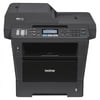
Brother MFC-8710DW - Multifunction printer - B/W - laser - Legal (8.5 in x 14 in) (original) - A4/Legal (media) - up to 40 ppm (copying) - up to 40 ppm (printing) - 300 sheets - 33.6 Kbps - USB 2.0, LAN, Wi-Fi(n), direct print USB
Reviews: 199
app.ratings:
(199)
Price:
$726.32
Visit
Reviews: 199
(3.9)
|
Received my latest and 3rd Bother MFC-8710DW AIO Laser printer 3 months ago. I purchased a 3rd unit based on previous good experience and excellent technical support from Brother, until just now. The printer was printing smudged ink from the new toner cartridge from Day-1; after contacting Brother Support, they immediately sent me a 2nd new toner to correct the problems; still, 4 months later, the printer prints horrible and toner is being dispersed all over each printed sheet. I have contacted Brother in order to get this unit replaced without any response at all. I still have the original box too. I STRONGLY RECOMMEND NOT BUYING BROTHER AS THEIR TECHNICAL SUPPORT IS NO LONGER RESPONSIVE TO THEIR CUSTOMER'S NEEDS.
This does do duplex printing, copying and scanning. I think it takes out blank pages, but I'd have to check w/the staff to be sure.I've found great generic toner (as good as the brand name toner) for much less on Amazon. We scan & upload at least 200 pages of medical records a day for different clients + our own correspondence + copying + faxing. Lots of faxing. I've been using dropbox but I now see that it does have a TWAIN driver so I'll be able to scan to the VPN. I only use Brother laser printers. My IT Guy (big in Northern CA) recommended this one b/c other of his clients loved it. He's right, it is every bit as good as the brand that starts with X. In fact, if you put it on a cabinet of the same height, you can see that all that's really different is the housing. At the price, if it wears out every year, I'll still save $$ rather than renting/leasing or whatever from the X brand people. The only thing I don't like is that it doesn't have a user-friendly interface on the machine itself. Finding "jobs in progress" etc can be done, but it's not easy from the machine itself. There's a control panel in the software on the computer where you name documents, choose where to scan, email or whatever. As I am an old person, I hate learning new stuff like that. Happily, I have younger staff & can hand it to them to deal with. We're a small law firm that does Social Security Disability work. Our scans have to be perfect so they can be uploaded to the court's online exhibit folder.
This machine goes into a deep sleep several times a day. We print from many computer stations, so someone has to go up front, shut off the machine, and turn it back on to get it to print. I have been buying office copy, fax, etc. machines for over 40 years and this is the worst one we have ever had. Bought the 3-year extended warranty, but tech support is stupid and English is so bad, we could not understand them!!!
I have owned several Brother printers over the years and have been very happy with them until this product. From the beginning we had problems with having to replace the toner every few weeks. When calling support services we were instructed to reset the paper usage when the low toner light came on. This seemed to work for a while, but it is time consuming to have to do this. I am really sorry that we purchased this machine.
Been using this printer for about 9 months now and I have to admit it's a keeper. I use it in a retail office environment. It has been very dependable. Had to call customer service during set-up for a minor setting. If I had taken the time to read the manual, probably would have solved it myself. One small irritation, I use the multi-function tray for lots of different types. One of them is a card stock postcard. It does a great job on those - but put a few #10 envelopes in that tray, and if you use 5 you've reached the max. It's an office - we need lots of envelopes. So far the cartridges have been lasting longer than expected. All in all - one of the best I've used in a very long time. I will be looking closer at Brother products for future purchases.
Loading reviews...
Products you might like
Loading related products...

 日本
日本 US
US