


Wi-Fi Extenders
Compare current offers, price history, and reviews in one place.
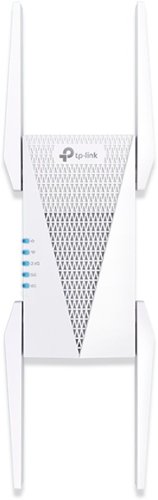
TP-Link - AXE5400 Tri-Band Mesh Wi-Fi 6E Range Extender - White
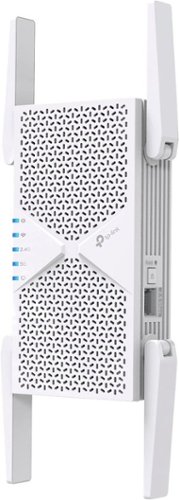
TP-Link - BE6500 Wi-Fi 7 Range Extender - White

TP-Link - BE11000 Wi-Fi 7 Range Extender - White
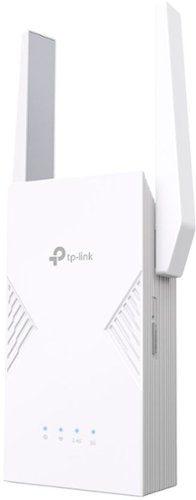
TP-Link - BE3600 Wi-Fi 7 Range Extender - White

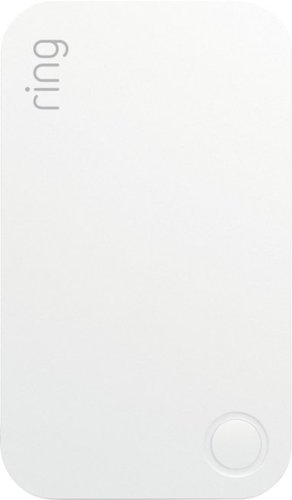
Ring - Alarm Range Extender (2nd Gen) - White
You might also like
Frequently Asked Questions
Find answers to common questions about Wi-Fi Extenders
Answer: A Wi-Fi Extender is a device that expands the coverage area of your existing Wi-Fi network. It works by receiving your wireless signal, amplifying it, and then rebroadcasting it to provide extended range and improved coverage in hard-to-reach areas of your home or office.
Answer: If you have a large property with multiple floors or thick walls, your standard router may not be able to provide sufficient coverage. A Wi-Fi Extender can help you enjoy uninterrupted internet connection in every corner of your home or office.
Answer: The number of devices that a Wi-Fi Extender can support depends on the specific model. Most Wi-Fi Extenders can support multiple devices simultaneously.
Answer: The setup process for a Wi-Fi Extender may vary depending on the model and manufacturer. Generally, you will need to connect the extender to your router using an Ethernet cable, access the extender\'s web interface, and follow the on-screen instructions.
Answer: Yes, you can use multiple Wi-Fi Extenders to extend the coverage area of your Wi-Fi network even further. However, keep in mind that using too many extenders may lead to decreased performance.
Answer: The maximum range of a Wi-Fi Extender depends on various factors, including the specific model, environmental conditions, and interference. Most Wi-Fi Extenders can extend the coverage area by up to 1,000 square feet.
Answer: No, you do not need to replace your router with a Wi-Fi Extender. A Wi-Fi Extender is designed to work in conjunction with your existing router to expand its coverage area.
Answer: Both Wi-Fi Boosters and Wi-Fi Extenders are used to improve Wi-Fi coverage, but they work in different ways. A Wi-Fi Booster amplifies the existing signal, while a Wi-Fi Extender creates a new network with its own SSID.
Answer: Some Wi-Fi Extenders are designed for outdoor use and can be used to extend Wi-Fi coverage to outdoor areas. However, not all Wi-Fi Extenders are suitable for outdoor use, so it\'s important to check the specifications before making a purchase.
Answer: To compare Wi-Fi Extender prices and features, you can use our category page for Wi-Fi Extenders. Here, you can find a variety of options from different online stores, compare prices and specifications, and make an informed decision based on your needs.